Showing posts with label firmware. Show all posts

9 October 2016

Canon firmware updates

Canon recently released a number of firmware updates.

Canon EOS 6D (v.1.1.7), EOS 70D (v.1.1.2), EOS SL1 (v.1.0.1), EOS Rebel T5i/700D (v.1.1.5), EOS Rebel T6/1300D (v.1.0.2)

These firmware updates all fix the same problem:
  • Corrects a phenomenon in which when using the camera with the EF-S 18-135mm f/3.5-5.6 IS USM or EF 70-300mm f/4-5.6 IS II USM lens, even if lens aberration correction is set to “Enable”, correction will not be applied.
    Note: The update for the EOS 6D does not include correction for the problem with the EF-S 18-135mm f/3.5-5.6 IS USM as this lens is incompatible with that camera 😀.
Canon is working to fix similar problems in their EOS-1D X, EOS-1D Mark IV, EOS 5D Mark III, EOS 7D, EOS 60D, EOS Rebel T1i/500D, EOS Rebel T2i/550D, EOS Rebel T3i/600D, EOS Rebel T4i/650D, EOS Rebel T3/1100D, EOS Rebel T5/1200D, EOS M, and EOS M2 cameras.

Downloads from the Canon USA site:

Canon EOS 7D Mark II firmware v1.1.0

Firmware v1.1.0 contains the following updates:
  • Supports Wi-Fi adapter W-E1.
  • Adds a setting to enable or disable automatic storage of the lens if it is extended out when a gear-driven STM lens*1 is attached, and the power switch is turned to [OFF].
    *1 EF 40mm f/2.8 STM, EF 50mm f/1.8 STM, or EF-S 24mm f/2.8 STM lenses
Download: Canon USA

Canon EOS 5D Mark IV firmware v1.0.2

Firmware v1.0.2 contains the following updates:
  • Improves communication reliability when using EOS Utility to register/update new Digital Lens Optimizer.
Download: Canon USA

Canon EOS-1D X Mark II firmware v1.1.2

Firmware v1.1.2 contains the following updates:
  • The addition of a selectable colour-tone option for the LCD monitor.
  • The addition of a function to append IPTC data.
  • The addition of a function to transfer only protected images.
  • The addition of a function to set the GPS positional data retention period.
  • An increase in the number of network connection settings that can be saved to a memory card from 20 to 40.
  • When retrying FTP transfer, extension of the minimum auto power off time to 10 minutes.
  • Improvement of wireless transmission when using Wireless File Transmitter WFT-E6.
Download: Canon USA

Nikon firmware and distortion control data updates

Nikon has recently released firmware updates for the D500 and D3400 as well as an update to the “distortion control data”.

D500 Firmware C1.10

Firmware C1.10 is a minor update, with the following changes:
  • Added support for the iOS version of SnapBridge.
  • Changed some help text.
  • Fixed the following issues:
    • Images would not display correctly if playback zoom was used during image review.
    • The focus point display would not light if the shutter-release button was pressed halfway after the standby timer had expired.
    • The camera would stop responding if a command dial was used in the CUSTOM SETTING MENU > f Controls > f1 Custom control assignment > Movie record button + menu.
    • If an option other than Off was selected for Active D-Lighting in the PHOTO SHOOTING MENU, pictures taken with an optional flash unit in auto aperture (AA), non-TTL auto (A), or distance-priority manual (GN) flash mode would be underexposed.
Download: Nikon Download Centre

D3400 Firmware C1.10

Firmware C1.10 is a minor update, with the following change:
  • Added support for the iOS version of SnapBridge.
Download: Nikon Download Centre

Distortion Control Data v2.015

The Distortion Control Data allows the camera to remove the lens distortion from the captured (JPG) image (when a compatible lens is used). For an overview of the supported cameras and lenses, please see the information at the download site.
Download: Nikon Download Centre

23 June 2016

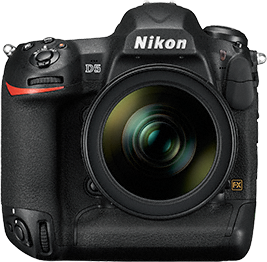
Major firmware update for the Nikon D5

Nikon just released a, long anticipated, firmware update for its D5 DSLR flagship.

As already previously announced by Nikon, the D5 can now record (4K) videos of up to 29:59 minutes. But there are a host of other important updates as well (see below for the full list).

The 1.10 firmware update can be downloaded from the Nikon download centre website.

New/improved features:
  • The camera can now record movies up to 29 minutes and 59 seconds long. Movies are recorded across up to 8 files, each up to 4GB size, which can be joined together using the ViewNX-Movie Editor option in ViewNX-i version 1.2.0 or later.
  • An Electronic VR option has been added to the MOVIE SHOOTING MENU. Note that electronic vibration reduction is not available at frame sizes of 3840×2160 or 1920×1080 crop, and that the angle of view is slightly reduced when electronic vibration reduction is in effect.
  • A Flicker reduction option has been added to the PHOTO SHOOTING MENU.
  • Dynamic-area AF (9 points) has been added to the AF-area mode options available during viewfinder photography.
  • The chief changes to viewfinder photography autofocus are:
    • Improved camera response when the button assigned Auto-area AF using Custom Setting f1 (Custom control assignment) > AF-area mode or AF-area mode + AF-ON is pressed to temporarily select auto-area AF.
    • Improved tracking when Wide is selected for Custom Setting a5 (3D-tracking watch area) and 3D-tracking is selected for AF-area mode.
  • The following changes have been made to the shooting display in the web browser when Silent photography is selected in HTTP server mode:
    • An “SL” (“silent”) icon has been added to the release mode button.
    • The “number of shots remaining” display for continuous release modes now shows the time remaining.
    • Exposure compensation can now be adjusted by up to ±3.
  • The file name (extension “.NDF”) is now displayed in HTTP server mode when Image Dust Off data are displayed in a web browser either full frame or in the image viewer.
  • The web browser displays for computers, iPads, and Android OS now identify white balance presets 1 through 6 by number when preset manual white balance is selected in HTTP server mode.
  • If movie recording is started while the camera is focusing in movie live view, the camera will now stop focusing before beginning recording.

Fixed issues:
  • The camera would sometimes record the date of recording incorrectly during leap years and the like.
  • The Save/load settings option in the SETUP MENU would only load up to 10 of the up to 20 items that could be stored in “My Menu”.
  • The camera would display the encryption key for Direct (access point) connections when searching for wireless networks using Search for wireless network with Direct (access point) selected in the SETUP MENU > Network connection wizard.
  • The device would sometimes be unable to connect to the D5 when Connect and exit wizard was chosen with Direct (access point) selected in the SETUP MENU > Network connection wizard.
  • The OS X edition of the Wireless Transmitter Utility would not function as expected when used to edit or add profiles for a camera connected via USB if Password protection was enabled for wireless or Ethernet LANs in the Network > Network settings menu.
  • The camera would sometimes not correctly display pictures created using the Trim option in the RETOUCH MENU.
  • If playback zoom was activated while the memory card access lamp was lit, the picture would sometimes not display correctly or the camera would zoom in on a point other than the active focus point if:
    • RAW Slot 1 - JPEG Slot 2 was selected for Role played by card in Slot 2 in the PHOTO SHOOTING MENU,
    • On was selected for Image review in the PLAYBACK MENU,
    • Memory cards were inserted in Slots both 1 and 2, and
    • The NEF (RAW) and JPEG images were different sizes

10 June 2016

Nikon firmware updates for D4s, D500, D7200, D810, D810A, and WR-1

Nikon recently released firmware updates for its D4s, D500, D810, D810A, and D7200 cameras as well as its Wireless Remote WR-1. Mostly the fixes are minor, but it is always a good idea to stay at the latest firmware releases.

Here are the recent firmware updates and their changes (click on the header to directly go to the download page on the Nikon website).

D4s Firmware C1.31

  • Fixed an issue that occurred with WR-R10 wireless remote controller firmware version 3.00. In rare cases, the camera would fail to display the number of exposures remaining or would take about a minute to power down when the WR-R10 was connected.

D500 Firmware C1.01

  • Fixed an issue that sometimes resulted in the options for SETUP MENU > Language not displaying correctly.

D810 Firmware C1.11 / D810A Firmware C1.01

  • Fixed an issue that sometimes caused the camera to stop responding when attached to a WR‑R10 wireless remote controller running firmware version 3.00.

D7200 Firmware C1.01

  • Selecting Firmware version in the SETUP MENU would not display “C X.XX L X.XXX”.
  • About 4 seconds of static could be heard on audio recorded with external HDMI recorders during movie live view.
  • Exposure compensation would fail to produce the desired results if a negative value was selected when NEF (RAW) images were processed using the NEF (RAW) processing option in the RETOUCH MENU.
  • February 29th would sometimes not display correctly in leap years.

WR-1 Firmware 1.01

  • The D5 and D500 ISO sensitivity displays are now supported. If you are using two WR-1 units, one as a receiver and the other as a transmitter, update both to firmware version 1.01. If you are using the WR-1 with a WR-R10, have a Nikon-authorized service representative update the WR-R10 to firmware version 3.00.
  • When used as a transmitter to change ISO sensitivity for a receiving camera, the WR-1 no longer cycles continuously through the available values.

26 April 2016

Nikon D7200 firmware update

Nikon just released a firmware update for its D7200 camera.

You can download firmware C 1.01 from the Nikon website.

The following issues are addressed in the firmware update:
  • Selecting Firmware version in the SETUP MENU would not display “C X.XX L X.XXX”.
  • About 4 seconds of static could be heard on audio recorded with external HDMI recorders during movie live view.
  • Exposure compensation would fail to produce the desired results if a negative value was selected when NEF (RAW) images were processed using the NEF (RAW) processing option in the RETOUCH MENU.
  • February 29th would sometimes not display correctly in leap years.
Note
Updating to firmware version 1.01 resets menu settings for cameras with firmware that displays as “A X.XX”, “B X.XX”, “L X.XXX”, “D X.XX”, “L X.XX”, or the like. We recommend that you save settings before performing the update.

Saving and Loading Settings
Select Save/load settings > Save settings in the camera SETUP MENU to save settings to the memory card (note that the date and time, file number, folder name, and custom Picture Controls are not saved).
After updating to firmware version 1.01, select Save/load settings > Load settings in the SETUP MENU to reload the saved settings.

26 November 2015

Nikon firmware update for the D750 and D4s


Apart from the software update mentioned in the previous article, Nikon today also released a firmware update for their D750 and D4s DSLR cameras. You can download the updates directly from Nikon's download centre:

Changes in D750 firmware C1.10

  • An External recording control option has been added to the HDMI item in the SETUP MENU. If the camera is connected via HDMI to a third-party recorder that supports the Atomos Open Protocol (the Atomos SHOGUN, NINJA2, or NINJA BLADE), selecting On allows camera controls to be used to start and stop recording. More information is available in a supplementary manual.
    Note:Choose an option other than 576p (progressive) or 480p (progressive) for HDMI > Output resolution in the SETUP MENU.
  • Fixed the following issues:
    • The brightness of the live view photography display would not change when a command dial was rotated to adjust exposure compensation with On (Auto reset) selected for b Metering/exposure > b3 Easy exposure compensation > Easy exposure compensation in the CUSTOM SETTING MENU.
    • Although the preview button would stop the lens down to maximum aperture when assigned the Preview role, the maximum aperture indicator would not appear in the monitor.
    • In rare cases, the shutter would not be released when the user attempted to take photographs in movie live view.
    • About 4 seconds of static could be heard on audio recorded with external HDMI recorders during movie live view.
    • The shutter speed, aperture, and ISO sensitivity displayed in the monitor during movie live view would differ from values in the final movie file.
    • Part of the focus point would disappear if the user zoomed in while the framing grid was displayed.
    • Volume could sometimes not be adjusted if movies were played with indicators hidden during full-frame playback (None (image only)).
    • Exposure compensation would fail to produce the desired results if a negative value was selected when NEF (RAW) images were processed using the NEF (RAW) processing option in the RETOUCH MENU.
    • Images would in rare cases fail to record correctly with HDR (high dynamic range) selected in the PHOTO SHOOTING MENU.
    • If On was selected for Exposure smoothing during interval timer photography, every frame after the first would be overexposed.
    • File numbers were not assigned in the proper sequence.
    • The focus point would not be displayed in the correct location in the monitor.
    • In some languages, characters or parts of characters would be missing from the SETUP MENU > Location data > Position display.
    • In some languages, characters or parts of characters would be missing from the SETUP MENU > AF fine-tune > List saved values display.
    • In some regions, nothing would be displayed when Conformity marking was selected in the SETUP MENU.
  • Some help text has been changed.
  • Optimal vibration reduction is now available with vibration reduction lenses.

Changes in D4s firmware C1.30

  • An External recording control option has been added to the HDMI item in the SETUP MENU. If the camera is connected via HDMI to a third-party recorder that supports the Atomos Open Protocol (the Atomos SHOGUN, NINJA2, or NINJA BLADE), selecting On allows camera controls to be used to start and stop recording. More information is available in a supplementary manual.
    Note:
    • Choose an option other than 576p (progressive) or 480p (progressive) for HDMI > Output resolution in the SETUP MENU.
    • Choose an option other than Auto for HDMI > Output resolution in the SETUP MENU when 640x  424; 30p or 640x  424; 25p is selected for Movie settings > Frame size/frame rate in the SHOOTING MENU.
  • Fixed the following issues:
    • In rare cases, the shutter would not be released when the user attempted to take photographs in movie live view.
    • About 4 seconds of static could be heard on audio recorded with external HDMI recorders during movie live view.
    • Exposure compensation would fail to produce the desired results if a negative value was selected when NEF (RAW) images were processed using the NEF (RAW) processing option in the RETOUCH MENU.
    • Images would in rare cases fail to record correctly with HDR (high dynamic range) selected in the SHOOTING MENU.
    • In portrait orientation, the monitor would not show the focus point in the correct location if 5:4 (30x24) was selected for Choose image area.

30 October 2015

Nikon D810 firmware update

Nikon just released a new firmware update for its D810 camera.

You can download the new C1.10 firmware directly from the Nikon Download Centre.

Firmware C1.10 contains the following updates and fixes:
  • An External recording control option has been added to the HDMI item in the SETUP MENU. If the camera is connected via HDMI to a third-party recorder that supports the Atomos Open Protocol (the Atomos SHOGUN, NINJA2, or NINJA BLADE), selecting On allows camera controls to be used to start and stop recording. More information is available in a supplementary manual.
    Note: Choose an option other than 576p (progressive) or 480p (progressive) for HDMI > Output resolution in the SETUP MENU.
  • Fixed the following issues:
    • Incorrect distances were shown in the camera playback info display for photographs taken with an optional flash unit in distance-priority manual (GN) mode.
    • The brightness of the live view photography display would not change when a command dial was rotated to adjust exposure compensation with On (Auto reset) selected for Metering/exposure > b4 Easy exposure compensation > Easy exposure compensation in the CUSTOM SETTING MENU.
    • Although the preview button would stop the lens down to maximum aperture when assigned the Preview role, the maximum aperture indicator would not appear in the monitor.
    • In rare cases, the shutter would not be released when the user attempted to take photographs in movie live view.
    • About 4 seconds of static could be heard on audio recorded with external HDMI recorders during movie live view.
    • The shutter speed, aperture, and ISO sensitivity displayed in the monitor during movie live view would differ from values in the final movie file.
    • Volume could sometimes not be adjusted if movies were played with indicators hidden during full-frame playback (None (image only)).
    • Exposure compensation would fail to produce the desired results if a negative value was selected when NEF (RAW) images were processed using the NEF (RAW) processing option in the RETOUCH MENU.
    • Images would in rare cases fail to record correctly with HDR (high dynamic range) selected in the SHOOTING MENU.
    • If On was selected for Exposure smoothing during interval timer photography, every frame after the first would be overexposed.
    • File numbers were not assigned in the proper sequence.
    • In some languages, characters or parts of characters would be missing from the SETUP MENU > Location data > Position display.
    • In some languages, characters or parts of characters would be missing from the SETUP MENU > AF fine-tune > List saved values display.
  • Some help text has been changed.

16 September 2015

Canon EOS-1D X firmware update

More firmware updates this month: Canon has released firmware 2.0.8 for its flagship EOS-1D X camera. You can download the new firmware from the Canon website.

Firmware version 2.0.8 incorporates the following fix:

  • Fixes a phenomenon which occurs when the “Shutter button half-press” menu item, configured in “C.Fn5: Operation” > “Custom Controls Menu”, is set to metering start only; depending on when the shutter button is half-pressed, it may initiate AutoFocus.

15 September 2015

Nikon firmware updates for the D5200 and D7100

Nikon released firmware updates for its D5200 and D7100 DSLR cameras.

You can download the new firmware from the Nikon Download centre:


Nikon D5200 firmware version 1.03 change log

  • Reduced noise (horizontal lines) in movies shot with 1280×720; 60p or 1280×720; 50p selected for Frame size/frame rate.
  • Fixed an issue with the camera freezing when the Clean image sensor option was used.

Nikon D7100 firmware version 1.03 change log


  • Reduced noise (horizontal lines) in movies shot with 1280×720; 60p or 1280×720; 50p selected for Frame size/frame rate.
  • Fixed an issue that sometimes caused the display to darken when images were viewed by pressing the (playback) button.
  • Fixed an issue with the menus for some languages where continued scrolling would cause the camera to freeze.
  • Fixed issues with the virtual horizon displayed using the Viewfinder virtual horizon option.
  • Fixed an issue with the camera freezing when the Clean image sensor option was used.


11 September 2015

Canon 7D MkII firmare update

Canon just released a firmware update for the 7D Mk II.

Firmware 1.05 contains the following fixes & improvements:
  • Improves AF accuracy when used in combination with the EF 16-35mm f/2.8L USM lens or EF-S 17-55mm f/2.8 IS USM lens.
  • Fixes a phenomenon in which, in very rare cases, the "Peripheral illumination correction" is applied inconsistently.
  • Fixes a phenomenon in which, while performing an EF lens firmware update, the progress bar displayed on the LCD monitor may freeze at 100% even though the update has been completed.
  • Fixes a processing error in relation to the leap second for the "Geotag information appended to image" and "Log data" GPS functions.
  • Fixes a phenomenon, where at the time of shooting in very rare cases "Err 70" occurs, or the shutter does not release.
You can download the firmware from the Canon USA support site.

21 April 2015

Firmware update for the Nikon D4s

Nikon just released an update to the firmware for its D4s camera.

The new “C” firmware version 1.20 can be downloaded from the Nikon download centre.

The update contains the following changes/fixes:
  • Commander mode can now be selected for Custom Setting e3 (Optional flash) when an optional SB-500 flash unit is attached.
  • The Auto and Flash white-balance options can now be used with the LED light on the optional SB-500 flash unit.
  • Auto white balance is now more consistent.
  • There is no longer a limit on the number of shots that can be taken in a single burst at shutter speeds of 4 s or faster when a continuous-release mode is selected in exposure mode S or M. *
  • There is no longer a limit on how long the shutter can remain open when “Time” is selected for shutter speed.
  • We have changed how focus points are displayed in the viewfinder if the camera is rotated between “wide” (landscape) and “tall” (portrait) orientations with Focus point and AF-area mode selected for Custom Setting a10 (Store by orientation) and different focus points chosen in each orientation. We have also changed how focus points are displayed in the viewfinder if a lens focus function button is pressed with AF-area mode selected for Custom Setting f19 (Lens focus function buttons).
  • Some help text has been changed.
  • The following issues have been resolved:
    • If the user focused using the AF-ON button before shooting in continuous-release mode, the frame rate would drop under the following conditions: AF-S selected for focus mode, Single-point AF selected for AF-area mode, Focus selected for Custom Setting a2 (AF-S priority selection), and AF-ON only selected for Custom Setting a4 (AF activation).
    • When an AF-S NIKKOR 800mm f/5.6E lens was attached, “Err” would be displayed in the top control panel and pictures could not be taken under some exposure conditions.
    • Images would sometimes fail to display correctly during image review if playback zoom was used while the memory-card access lamp was lit.
    • Images would not clear from the display if an optional WR-1 wireless remote controller was used with On selected for Image review in the playback menu.
    • The camera photo info display would not show the correct range for pictures taken with an optional flash unit in distance-priority manual flash mode (GN).
    • When pictures taken using a PC-E lens were viewed in Capture NX-D and other Nikon software, the Metadata would list the lens as type E rather than type D.
    • The photo information display for movies, movie stills, and photos taken with the Silent shutter-release option would sometimes list incorrect values for shutter speed, aperture, and ISO sensitivity.
    • If the camera was connected via HDMI to 4K a compatible TV, neither the camera nor the television would display menus correctly.
    • Volume sometimes could not be adjusted if indicators were hidden during movie playback.
    • If both XQD and CompactFlash cards were inserted in the camera when it was connected to a computer, the computer would not recognize the XQD card.

31 January 2015

Canon firmware updates for the EOS-1D X and EOS-5D Mark III

Canon just published new firmwares for two of its flagship cameras.


EOS 1D X firmware 2.0.7

Firmware version 2.0.7 incorporates the following functional improvements and fixes:
  1. Improves the AF controllability when shooting in Live View mode with a wide-angle lens (fixed focal length or zoom).
  2. Fixes a phenomenon in which, when shooting long exposures (several minutes), vertical lines appear on the right edge of captured images (still photos).
  3. Fixes a phenomenon in which the Auto Exposure Bracketing (AEB) may not perform as intended when in continuous shooting mode and where the shutter speed is longer than 1 second.
  4. Improves the reliability of the control mechanism for the Picture Style Auto setting.
  5. Fixes a phenomenon in which the electronic level indicator does not work correctly.
  6. Fixes a phenomenon in which, when using the "Save and read camera settings" function, the color space data that is selected in "Custom shooting mode (C1-C3)" is not saved. *1
  7. Corrects some incorrect indications on the "English" and "Russian" menu screens.
*1 As a result of this fix, cameras with Firmware Version 2.0.7 will not be able to read the "camera settings file" created with cameras running Firmware Version 2.0.3 (or earlier). If you require the "camera settings file", please create it after updating to firmware version 2.0.7.

You can download the new firmware from the Canon website.

EOS 5D Mark III firmware 1.3.3

Firmware version 1.3.3 incorporates the following improvement and fix:
  1. Improves the AF controllability when shooting in Live View mode with a wide-angle lens (fixed focal length or zoom).
  2. Corrects some incorrect indications on the "English" and "Russian" menu screens.

You can download the new firmware from the Canon website.


6 January 2015

Nikon D750 and D810 firmware updates

Nikon released two firmware updates last month as well. The new Nikon D750 and D810 both received a firmware update.

Nikon D750 firmware C:1.01

  • When shooting with an optional Speedlight and Auto FP high-speed sync enabled with On selected for ISO sensitivity settings > Auto ISO sensitivity control in the photo shooting menu, images were sometimes over-exposed. This issue has been resolved. (Enabling auto FP high-speed sync: Select 1/200 s (Auto FP) or 1/250 s (Auto FP) for Custom Setting e1: Flash sync speed)
  • When menus were displayed with the camera connected to a 4K-compatible TV via HDMI, display in both the camera monitor and on the TV was not correct. This issue has been resolved.
  • Noise that could sometimes be heard when Custom Setting d1: Beep was set to any option other than Off has been reduced.
You can download the firmware update from the Nikon support site: USA | EU

Nikon D810 firmware C:1.02

  • When playback zoom was applied to an image displayed in the camera monitor (image display enlarged) while the memory card access lamp was still lit immediately after capture, the image was not correctly displayed. This issue has been resolved.
  • When menus were displayed with the camera connected to a 4K-compatible TV via HDMI, display in both the camera monitor and on the TV was not correct. This issue has been resolved.
  • Noise that could sometimes be heard when Custom Setting d1: Beep was set to any option other than Off has been reduced.
You can download the firmware update from the Nikon support site: USA | EU

Canon EOS 6D Firmware 1.1.6 Released

Canon last month released a firmware update for its EOS 6D camera.

The following has been updated:
  • Fixes a phenomenon in which the camera may not first use the centre AF point to focus, when the AF point selection is set to automatic in AI Servo AF mode.
  • Fixes a phenomenon in which focus cannot be finely adjusted with specific lenses when shooting remotely with EOS Utility software.
  • Corrects some Ukrainian language displayed on the menu for ISO Setting.
The new firmware can be downloaded from the Canon website.

6 September 2014

Firmware update C1.10 for the Nikon D4s

Nikon recently released a firware update for it flagship D4s camera.

You can download the update from the Nikon Support site: EU

The update is quite big and contains the following new features and fixes:
  • When SPORT VR mode, built into the AF-S NIKKOR 400mm f/2.8E FL ED VR, is selected, the same continuous shooting rate available when OFF is selected is now possible.
  • When memory cards with capacities greater than 128 GB were formatted with the camera, they were formatted using the FAT32 file system.  They are now formatted using the exFAT file system.
  • Operation has been changed so that when menus are displayed during movie live view and the movie-record button is pressed, the menu display disappears and display returns to movie live view. To begin movie recording, press the movie-record button again.
  • The Zoom on/off option for playback mode with Custom Setting f1: Multi Selector Center Button can now be used to zoom-in on images with zoom display centered on the active focus point, even if they were captured with live view photography. However, the focus point will not be displayed.
  • The Help explanation provided for the Preset focus point option under Custom Setting f19: Lens Focus Function Buttons has been revised.
  • The following issues have been resolved.
    - When NEF (RAW) recording > Image size in the shooting menu was set to RAW S (Small), the number of shots possible with uninterrupted shooting (buffer capacity, C-REM) displayed by the camera differed depending upon the NEF (RAW) recording > NEF (RAW) bit depth setting selected.
    - When Camera Control Pro 2 was used to take pictures with Record to set to PC+CARD, and Secondary slot function in the camera's shooting menu set to Overflow, the shutter could not be released when the memory card in the primary slot became full.
    - When Image review in the playback menu was set to On, images were sometimes not displayed in the monitor when the shutter was released while exposure meters were off.
    - When images were output to an HDMI device, resolution seemed insufficient with display in full-frame playback mode (did not apply to playback zoom display).
    - When images, captured with Image review in the playback menu set to On, and Auto distortion control in the shooting menu set to On, were automatically displayed in the monitor immediately after capture, auto distortion control was sometimes not applied.
    - When the multiple exposure function was used to capture images with Image review in the playback menu set to On, and Auto distortion control in the shooting menu set to On, auto distortion control was not applied to the recorded images.
    - When an image to which an image comment had been added was copied to White balance > Preset manual, only the first 24 characters of the image comment were copied.
    - If log-in to the FTP server failed when network settings were applied with Wired LAN selected for Network > Choose hardware in the camera's setup menu, and FTP upload selected as the connection type and IP address acquisition set to Obtain automatically with the Connection Wizard, the IP address displayed when the camera tried again to obtain it automatically was "000.000.000.000".
    - When a movie recorded at a frame rate of 30p, 25p, or 24p was played back on a TV to which the camera was connected via HDMI with HDMI > Output resolution in the the camera's setup menu set to 1080p (progressive), display on the TV was distorted.
    - When a file containing an IPTC preset (IPTC information) that included double-byte characters in its profile was copied to the camera, the camera froze when attempting to view the contents of the IPTC preset.
    - When Add items was selected for My Menu, OK was displayed even for items that cannot be added.
    - When Language in the setup menu was set to Arabic, text and icons in some menu displays overlapped, and text was positioned too far to the right.

New Distortion Control Data for Nikon Cameras

Nikon has released a new version of its Distortion Control Data for correcting barrel and pincushion distortion during shooting and editing (on those cameras that support it).

The L2.000 version of the Distortion Control Data can be downloaded from the Nikon imaging website.

The following cameras and firmwares are supported:
CameraCompatible firmware
D4SC:1.00 or later
D4A:1.10 or later, B:1.10 or later
D810C:1.00 or later
D800EA:1.10 or later, B:1.10 or later
D800A:1.10 or later, B:1.10 or later
DfC:1.00 or later
D610C:1.01 or later*
D600C:1.02 or later*
D7100C:1.02 or later*
D7000A:1.04 or later, B:1.05 or later*
D5300C:1.00 or later
D5200C:1.02 or later
D3300C:1.00 or later
D3200C:1.03 or later
D90A:1.00 or later, B:1.01 or later*

*Please note that the new L2.000 Distortion Control Data requires a just released firmware update for the following cameras:
  • Nikon D90 Firmware Update A 1.00, B 1.01: EU
  • Nikon D7000 Firmware Update A 1.04, B 1.05: EU
  • Nikon D7100 Firmware Update C 1.02: EU
  • Nikon D600 Firmware Update C 1.02: EU
  • Nikon D610 Firmware Update C 1.01: EU

13 May 2014

Firmware updates for the Nikon D800/D800E and UT-1 communication unit

Nikon just released a new firmware for their D800 and D800E digital cameras as well as an accompanying update for the Communication Unit UT-1. The list of changes is quite impressive though focus is mostly on small usability improvements.

You can download the new firmwares from the Nikon support sites:
  • Nikon D800 Firmware A 1.10 & B 1.10: EU / USA
  • Nikon D800E Firmware A 1.10 & B 1.10: EU / USA
  • Nikon UT-1 Firmware 2.0: EU / USA

Complete list of changes for the D800/D800E:

24 April 2014

Nikon D4s firmware update

Nikon published another firmware update, this time for its new flagship camera, the D4s. This new C 1.01 firmware fixes some important issues so I would recommend it to everyone lucky enough to own a D4s.

The firmware can be downloaded from the Nikon support sites: EU / USA

Updates in firmware C 1.01:

  • When Custom Setting f1 (Multi selector center button) > Playback mode was set to View histograms, the histogram was not displayed correctly for the image played back in the monitor, even when the center button on the multi selector was pressed, when the following conditions were met. This issue has been resolved.
    - Image quality was set to NEF (RAW) + JPEG fine, NEF (RAW) + JPEG normal, or NEF (RAW) + JPEG basic.
    - An option other than "Overview data" or "RGB histogram" was selected for photo information displayed with full-frame image playback.
  • With full-frame image playback with "Highlights" or "RGB histogram" display selected, image chroma (saturation) changed with flashing of highlights. This issue has been resolved.
  • When images captured with Color space set to Adobe RGB were enlarged with playback in the monitor, image chroma (saturation) changed. This issue has been resolved.
  • When Rotate tall in the playback menu was set to On, and an image captured in "tall" (portrait) orientation was enlarged slightly (playback zoom-in button pressed once or twice) with monitor playback, the image did not appear to be very sharp or clear. This issue has been resolved.
  • With capture of a Compressed RAW image, followed by a Lossless compressed RAW image, with Image quality set to NEF (RAW), the camera was sometimes unable to correctly record the second RAW image. This issue has been resolved. 

Nikon mount adapter FT1 firmware update

The Nikon Mount Adapter FT1 allows the use of Nikon DSLR lenses in combination with Nikon 1 mirror-less cameras. If you own one of the new Nikon 1 J4 or Nikon 1 V3 cameras, the new L 1.20 firmware update should be applied as it enables autofocus with these cameras (this is also the only fix in this firmware update).

The update can be downloaded from the Nikon support sites: EU / USA

19 March 2014

Firmware update for the Canon 6D

Canon has just released a firmware update for its 6D DSLR.

Firmware Version 1.1.4 incorporates the following fixes:
  • Fixes a phenomenon in which some images cannot be transferred to mobile devices running the EOS Remote app.
  • Corrects an error in the German language Feature Guide.
  • Corrects an error in the Korean language Feature Guide.

You can download the update from the Canon website.